Opal Screen Time Limit & Timer
- 4.4
- Rating
- 500.00K
- Installs
- Free
- Price

 Analysis by App-foxy
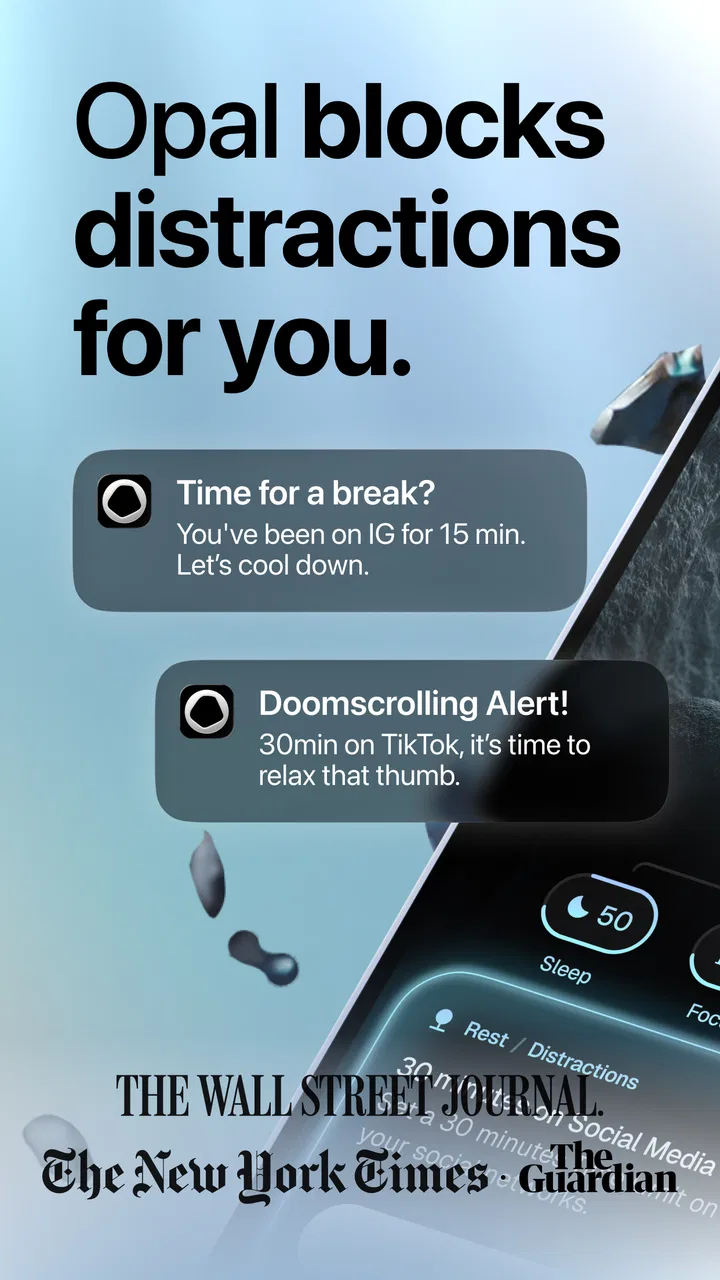
When I installed Opal Screen Time Limit & Timer, I approached it as someone who already knew the usual advice: put the phone down, mute notifications, and try harder. That advice is easy to understand and surprisingly difficult to follow. Opal’s appeal is that it turns the intention to focus into a more visible, structured routine by helping you block distracting apps and interrupt the habit of endless scrolling. I found that distinction important. It is not simply a timer sitting on the screen; it is a productivity tool built around creating friction between me and the apps that most easily absorb my attention.
The app comes from Opal: The Focus Company and sits in the productivity category. It is free to install, suitable for Everyone, and currently listed as version 4.9.0 for devices running operating system 10 or later. Its store presence is already substantial, with over 500 thousand installs, an average rating of 4.4, around 8 thousand ratings, and over 200 written reviews. Those figures suggest that the idea is easy for many people to understand, but they do not tell me whether it will fit every routine. In practice, the answer depends on how much control you want and how willing you are to accept a little inconvenience in exchange for fewer impulsive checks.
How Opal’s free access and paid value fit together
The most useful starting point is cost. Opal is free to download, so I could try its basic approach without committing money first. That matters for a focus app because the benefit is personal and behavioral: a system that works brilliantly for one person may feel irritating or unnecessary to another. Being able to test the experience before paying makes more sense than judging it from a feature list.
You May Also Like

 Blood Strike: 2.5 Anniversary
Blood Strike’s Loadouts Turn Every Drop Into a Tactical Gamble
A close look at Blood Strike’s custom loadouts: how fast access to signature weapons reshapes its battle royale rhythm, rewards preparation, and narrows the gap between fights.

 Pandora - Music & Podcasts
Pandora’s Music Is Easy to Start, but Harder to Recover
Pandora’s strength is its low-effort path from a seed to a station. Its weak spot is how much confidence it asks you to place in connection, setup, and quiet recovery.

 8 Ball Pool
 Is Built on Rivalries, Rematches, and Routine
A close look at the rivalries, rematches, shared routines, and unanswered safety questions that turn a quick pool match into a persistent mobile community.

 Samsung Music
’s Quiet Strength Is Playing What You Already Own
Its reach comes less from spectacle than from dependable access to a personal library. That simplicity is both the app’s strongest retention engine and its ceiling.

 AccuWeather: Weather Radar
AccuWeather Review: A Quick, Clear Forecast for Everyday Decisions
For everyday plans, the best forecast is the one you can understand quickly. AccuWeather makes rain timing, radar, and local conditions easy to act on, with a few trade-offs.

 Hill Climb Racing
Why Hill Climb Racing Still Turns Crashes Into One More Run
A tiny car, a bumpy hill and one more upgrade: Hill Climb Racing keeps resurfacing because its simple chaos makes every near-miss feel personal.
More From Our News Desk



There are in-app purchases ranging from $2.99 to $79.99 per item. That is a wide range, so I would not treat the existence of purchases as proof that everyone needs them. The sensible way to evaluate the paid side is to use the free experience long enough to see whether blocking actually changes your behavior. If it does, an upgrade may be easier to justify; if it does not, paying will not magically solve the underlying problem.
I also appreciate that the free entry point keeps the decision relatively clear. You can begin with a concrete goal, such as protecting a study period or stopping yourself from opening social apps during work, and then judge the result in real life. I would be cautious about buying immediately just because a long-term focus plan sounds appealing. The value of this kind of app comes from repeated use, not from owning it.
For me, the strongest value is not the timer alone. It is the moment of hesitation created before I reach the distracting app. Normally, opening a feed is nearly automatic: the thumb moves before I have decided what I am doing. A properly configured block changes that sequence. Even a brief interruption gives me a chance to ask whether I am opening the app for a reason or simply following a habit.
What the app adds beyond ordinary self-control
Phone settings already offer screen-time controls, and many operating systems can limit individual apps. Those built-in tools can be perfectly adequate if you only want a simple daily allowance. Opal feels more useful when the problem is not just total minutes but the repeated transition into distraction. Its focus-oriented approach encourages me to think in terms of protected periods rather than waiting until the end of the day and discovering that my attention has been scattered.
That difference is especially noticeable when I have a task with a clear finish line. Instead of saying, “I should use my phone less,” I can create a period in which the phone is less available as an escape route. This is a more practical target. It connects the restriction to an activity such as writing, reading, studying, cooking, or preparing for a meeting. I am not trying to become permanently unreachable; I am trying to make one block of time usable.
A realistic example is an evening when I need to finish a report but keep checking short-form video apps whenever a paragraph becomes difficult. With Opal set up around that pattern, I can begin a focus period before opening the document. The important step is choosing the distracting apps in advance, while I am calm and motivated, rather than negotiating with myself halfway through the task. That small preparation makes the block feel like a decision I already made instead of a punishment imposed at the worst moment.
Another useful workflow is to pair a focus period with a physical cue. I might put the phone face down, start the session, and keep a note beside the laptop for thoughts that would otherwise send me to a browser or messaging app. Opal handles the digital boundary, while the note handles the mental urge. This combination works better than expecting an app to solve every part of distraction by itself.
Small habits that make the blocking approach work better
The first tip I would give is to begin narrowly. Blocking every potentially distracting app can create unnecessary frustration, especially if you still need some of them for work, family, travel, or authentication. I had better results when I identified the two or three apps I opened without thinking. A focused block is easier to respect than a sweeping restriction that interrupts legitimate tasks.
The second is to use the app before the temptation arrives. Starting a session after I have already fallen into scrolling is much harder than starting it when I sit down to work. The pre-commitment matters because it removes the need to make a fresh decision every few minutes. This is one of Opal’s more valuable ideas: the tool is most effective when it supports a decision made ahead of time.
The third is to treat exceptions as information rather than failure. If I repeatedly need to leave a session for a particular app, that may mean the blocked list is too broad or the chosen period is poorly timed. Adjusting the setup is more useful than abandoning the whole method. A focus tool should help me design a workable boundary, not force me into an unrealistic one.
I also found it helpful to separate deep work from ordinary low-distraction time. A demanding writing session may need a stronger boundary than answering messages or checking a calendar. Using the same level of restriction for every situation can make the app feel heavy. Opal makes more sense when I regard each focus period as a specific environment for a specific kind of attention.
Where the experience can become frustrating
The main trade-off is obvious: blocking distracting apps can also block something useful at an inconvenient moment. If I start a session without thinking about what I may need, the boundary can feel less like support and more like an obstacle. This is not a flaw unique to Opal, but it is central to deciding whether the app suits you. People who need constant access to several communication or work tools may prefer lighter controls.
There is also a psychological trade-off. Some users respond well to an external limit, while others become more interested in defeating it. If seeing a blocked app makes you think about that app more intensely, the system may require gentler settings or a different strategy. Opal can create useful friction, but friction is not the same as motivation. It cannot supply a reason to finish a task that you have not defined.
The app is therefore less convincing as a complete productivity system. It can protect attention, but it does not replace planning, prioritizing, or dealing with difficult work. I still need to decide what I am doing during the protected period. Without that next step, I could simply sit with fewer distractions and no clear direction.
Another limitation is that the free-versus-paid value needs to be judged through use rather than assumption. The free download lowers the barrier to trying it, but the presence of purchases means some users may eventually face a decision about whether additional value is worth paying for. Since the listed purchase range spans from a small amount to a much larger one, I would examine the exact offer presented in the app before committing. I would not pay based only on the promise of becoming more focused.
Who is likely to get the most from it?
Opal is a strong candidate for people who repeatedly open the same distracting apps during otherwise important work. Students writing assignments, remote workers switching between a document and social feeds, and anyone trying to protect a reading or exercise routine can all understand the benefit quickly. The app is particularly suitable for people who have already noticed a pattern and want a practical barrier at the point where the pattern begins.
It may also help people who dislike complicated productivity systems. I do not need to build a large task database to understand the basic purpose of a focus session. The useful unit is simple: choose a period, reduce access to selected distractions, and use the time for something specific. That simplicity makes it easier to test than a full planning platform.
Families and younger users require more individual judgment. The Everyone rating makes the app broadly suitable from an age-classification perspective, but that does not mean every restriction plan is appropriate for every person. I would use it as a conversation tool around attention and routines, not as a substitute for guidance or trust.
On the other hand, I would skip it if your main problem is organizing projects, tracking deadlines, or managing detailed notes. Opal’s focus is controlling access to distracting apps, not replacing a calendar, task manager, or note-taking system. I would also hesitate if your work depends on unpredictable phone access. In that case, built-in notification controls or a lighter do-not-disturb routine may be less disruptive.
People who already have excellent discipline may not gain much either. If you rarely open distracting apps impulsively, adding another layer of control could be needless maintenance. The app earns its place when the gap between intention and behavior is the problem.
My practical verdict on trying, paying, or skipping
I recommend trying Opal if you want a deliberate way to interrupt automatic scrolling and you are willing to spend a few minutes setting boundaries that match your real life. Its free availability makes that trial reasonable, and the app’s value becomes visible in ordinary situations rather than in abstract productivity claims. Start with one recurring distraction and one clearly defined focus period. If that changes how often you reach for the app, you have evidence that the approach is working for you.
I would consider paid value only after that trial has established a habit of using the tool. The listed in-app purchase range is broad, so the right question is not whether a paid option exists, but whether the specific upgrade solves a problem you actually encountered. If the free experience already gives you the boundary you need, there is no obvious reason to spend more simply for reassurance.
My final view is that Opal Screen Time Limit & Timer is best understood as a behavioral guardrail, not a magic productivity button. Its strongest contribution is making distraction less automatic and focus periods more intentional. Its weakness is the same feature viewed from the other side: restrictions can interfere with legitimate phone use and may annoy people who prefer flexible, built-in controls.
For me, the deciding test is simple: after a week of using it around one real task, do I finish that task with fewer unplanned phone checks? If the answer is yes, Opal is delivering useful value, and a paid option may be worth investigating. If the answer is no, I would skip the purchase and try a simpler routine instead. The best reason to use it is not that it promises perfect focus, but that it gives your good intentions a practical boundary.
FAQs for Opal Screen Time Limit & Timer
01What is Opal Screen Time Limit & Timer, and how does it work?
Opal Screen Time Limit & Timer is a digital wellbeing app designed to help you reduce distracting phone use. After installation, you can monitor time spent in selected apps, create usage limits, and start focused sessions during which distracting apps are restricted. Its main purpose is to make screen-time habits more visible and encourage intentional, healthier phone use.
02Can I choose which apps Opal blocks or limits?
Yes, Opal generally allows you to select the applications you find distracting and organize them into focus groups or sessions. This means you can target social media, games, video platforms, messaging services, or other time-consuming apps instead of restricting your entire device. Before relying on it, review the requested permissions and confirm that the apps you want to manage are supported on your phone.
03Does Opal Screen Time Limit & Timer work on both Android and iPhone?
Opal is primarily known as a screen-time and focus-management solution for Apple devices, while availability and features may vary by platform and operating-system version. Some functions may be different on Android, or the application may not be offered there in the same form. Check the official store listing for your device before downloading, especially if you need app blocking, detailed reports, or scheduling tools.
04Is Opal free to use, or does it require a subscription?
Opal offers access to core screen-time and focus features, but some advanced tools may be reserved for a paid plan. Premium options can include more detailed statistics, additional limits, recurring schedules, or expanded control over focus sessions. Pricing, trial availability, and included features can change, so carefully check the in-app subscription screen before starting a trial or confirming a purchase.
05Can Opal completely prevent me from opening distracting apps?
Opal can make distracting applications harder to access during a focus session or after a configured limit has been reached, but no productivity app can replace personal commitment entirely. Depending on the operating system, restrictions may have technical limitations, and users may be able to change settings or uninstall the app. For the best results, combine Opal with realistic limits, scheduled breaks, and consistent daily use.
Pros
- Blocks distracting apps with customizable daily limits.
- Focus sessions help create healthier phone-use habits.
- Clear usage insights make screen-time patterns easy to understand.
- Scheduled downtime can support work
- study
- and bedtime routines.
- Simple interface makes setting limits quick and accessible.
Cons
- Some useful controls require a paid subscription.
- Limits may be bypassed if you lack personal discipline.
- Strict blocking can interrupt apps needed unexpectedly.
- Battery usage may increase while monitoring screen activity.
- Advanced family or device controls may feel limited.

Opal Screen Time Limit & Timer
Gallery